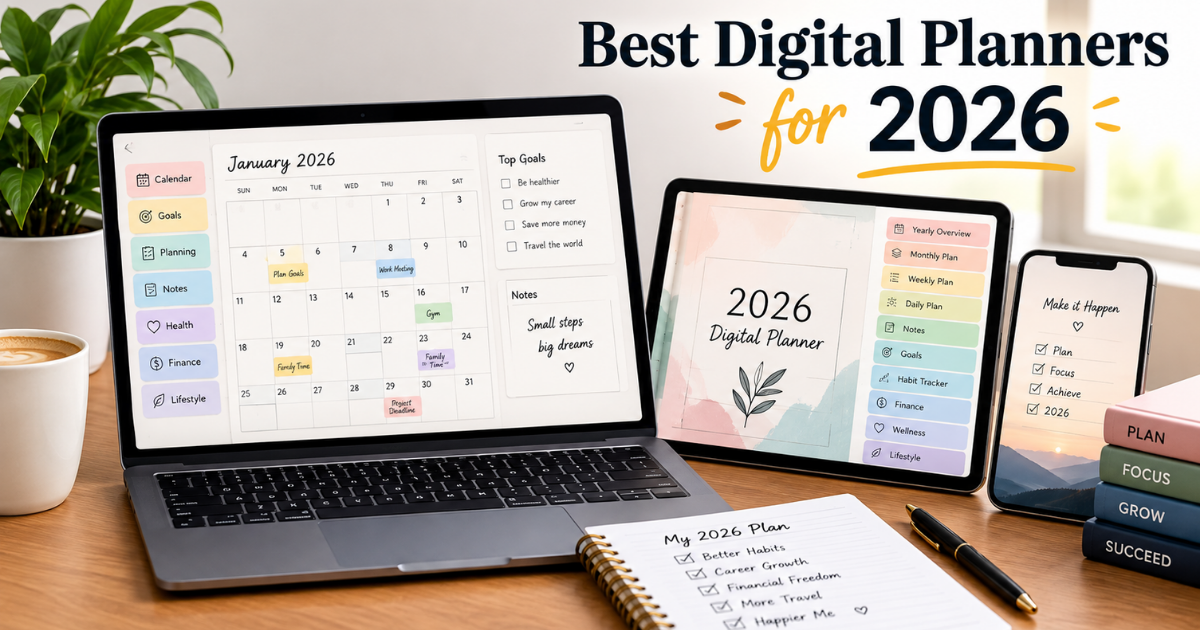

Sticky notes everywhere, three half-used notebooks, and a phone calendar you forgot to check sound familiar? A digital planner fixes that by putting your schedule, goals, habits, and notes in one place you can actually open on your iPad, tablet, or phone.
This guide breaks down what a digital planner actually is, why they’re taking over from paper, and which options are worth your time in 2026 whether you want a hyperlinked PDF planner, an all-in-one system, or something built for a specific planning style.
What Is a Digital Planner?
A digital planner is a PDF-based (or app-based) planning system used with a stylus on a tablet or iPad. Most PDF planners work inside note-taking apps like GoodNotes, Notability, or Noteshelf, and use internal hyperlinks so you can tap a date and jump straight to that page instead of scrolling.
Unlike a plain calendar app, a digital planner usually includes:
- Yearly, monthly, weekly, and daily layouts
- Goal-setting and habit-tracking pages
- Notes sections with dividers and indexes
- Optional finance or wellness trackers
- Stickers, covers, and customizable templates
It gives you the tactile feel of handwriting with the flexibility of software no pages run out, and nothing gets lost in a drawer.
Why Digital Planners Are Becoming So Popular
Digital planning has grown fast because it solves real friction points that paper planners can’t. A few reasons for the shift:
- Everything lives in one file. No more juggling a notebook, a wall calendar, and a budget tracker.
- Navigation is instant. Hyperlinks let you tap a month or day and land there immediately.
- Customization is unlimited. Duplicate pages, swap layouts, add stickers none of that is possible on paper.
- It travels with your device. Your planner is wherever your tablet is, with no risk of leaving it at home.
- It scales with your life. Students, freelancers, and busy parents can each shape the same base planner differently.
For anyone already using an iPad or Android tablet daily, a digital planner turns idle screen time into productive planning time.
What Makes the Best Digital Planners Different?
Not every planner with a nice cover deserves the “best” label. The strongest digital planners share a few traits:
- Reliable hyperlink navigation every date, tab, and index should actually work
- Genuine customization layout choices, not just color swaps
- Cross-app compatibility confirmed to work in GoodNotes, Notability, and similar apps
- Purposeful design pages that support real habits, not decoration for its own sake
- Room to grow templates and inserts that adapt as your routine changes
A planner that nails navigation and flexibility will get used far longer than one that just looks good in a screenshot.
Cyberry 2026: A Highly Customizable All-in-One Planner
Cyberry 2026 is one of the more feature-dense digital planners available this year, aimed at people who want a single system rather than several separate tools. It leans on deep hyperlinking, a build-your-own customization portal, and both portrait and landscape formats.
Advanced Calendar and Reminder Shortcuts
Cyberry 2026 connects to Apple Shortcuts so tapping an icon can create a native Reminder or Calendar event without cluttering the handwritten page itself. Timed daily pages let you tap an hour slot to schedule that event directly useful if you want your written planner and your phone’s calendar to stay in sync.
Goal Setting and Quarterly Planning
Rather than one long yearly goals page, the planner breaks the year into quarters. This makes big goals easier to track because you’re reviewing progress every few months instead of only at year-end, with monthly pages linking those quarterly targets to everyday tasks.
Note Dividers Return
Labeled, indexed note dividers give the planner a second life as a notebook for meeting notes, project ideas, or journaling without losing quick access back to the calendar sections.
Template Library Adds Flexibility
A library of alternate daily and weekly layouts means the planner doesn’t lock you into one format all year. Swap in a study-focused layout during exams, or a project-tracking layout during a busy work sprint.
Finance and Wellness Planning
Many 2026 planners, Cyberry included, now go beyond scheduling into personal-dashboard territory:
| Section | What It Tracks | Best For |
| Finance pages | Income, savings, debt, recurring bills | Budget-conscious users |
| Wellness pages | Mood, sleep, habits, water intake | Self-care and habit building |
| Goal pages | Quarterly targets, milestones | Long-term planners |
Flexible category labels matter here a household budget looks nothing like a small-business income tracker, so the best planners let you rename and rearrange sections freely.
Daily and Weekly Planning
Daily and weekly pages are still the core of any planner. A well-designed daily page balances schedule, priorities, and to-dos without feeling cluttered, often including a mini monthly view for quick navigation.
Weekly pages, by contrast, are about the bigger picture seeing five to seven days of commitments at a glance. The best systems let you switch between a tightly scheduled weekday layout and a looser weekend one.
Digital Stickers and Planner Customization
Stickers aren’t just decoration used well, they function as visual shorthand for tasks, deadlines, and categories. Common customization options include:
- Coordinated sticker packs (tasks, habits, appointments)
- Checklist and flag icons
- Swappable cover designs and color palettes
- Custom tab and divider labels
A planner that feels personal is one you’ll actually open every morning instead of abandoning by February.
GoodNotes and Other Digital Planning Apps
Your planner is only as good as the app running it. GoodNotes remains the most popular choice for hyperlinked PDF planners thanks to strong handwriting support and a built-in marketplace. Notability, Noteshelf, and Noteful are solid alternatives, each with slightly different sticker and hyperlink handling.
Before buying any planner, confirm which app it’s built for a layout that works perfectly in one app can lose functionality in another.
Best Digital Planners for Different Planning Styles
| Planning Style | What to Look For |
| All-in-one | Finance, wellness, goals, and calendar combined |
| Minimalist | Clean layouts, limited stickers, plenty of white space |
| Goal-focused | Strong quarterly/annual goal-setting sections |
| Creative | Vision boards, custom covers, flexible note pages |
| Academic | Assignment tracking, exam prep, semester views |
| Professional | Meeting logs, project sections, calendar sync |
There’s no single “best” planner only the best fit for how you already work.
Digital Planner vs. Traditional Paper Planner
| Factor | Digital Planner | Paper Planner |
| Setup | Requires an app and device | Ready to write in immediately |
| Navigation | Instant via hyperlinks | Manual flipping |
| Customization | High duplicate, edit, reorganize | Fixed once printed |
| Portability | Anywhere your device goes | Extra item to carry |
| Cost over time | Often one-time purchase | Rebought every year |
Paper wins on simplicity; digital wins on flexibility and long-term value.
What to Look for Before Buying a Digital Planner
- Confirm device and app compatibility first
- Test that hyperlinks and navigation actually work
- Check whether layouts can be customized or duplicated
- Decide which extras matter: finance, wellness, goals, stickers
- Prioritize function over a pretty cover you need to use it daily
Are Digital Planners Worth It?
For anyone already using a tablet regularly, yes a digital planner combines the satisfaction of handwriting with the convenience of hyperlinks, templates, and reminders. The value depends on matching features to actual needs: a student juggling five classes benefits far more from a full system than someone who just wants a simple monthly calendar.
Related Post: Best Digital Planners for 2026: Top Picks for Productivity, Planning and Creativity
How to Build a Better Digital Planning Routine
- Set yearly goals and major dates first
- Break the year into quarterly priorities
- Use monthly pages for appointments and deadlines
- Narrow down to realistic weekly priorities
- Execute daily without overfilling the page
- Reflect weekly on what worked and adjust
This loop plan, act, review, adjust turns a planner into a feedback system, not just a notebook.
The Future of Digital Planning
Expect more personalization, not less. Calendar shortcuts, adaptable templates, and modular sections are pushing digital planners closer to personal dashboards than static calendars while still keeping the handwriting experience people love.
Frequently Asked Questions
Is GoodNotes required to use a digital planner?
No most PDF planners also work in Notability, Noteshelf, or Noteful, though features can vary slightly between apps.
Can I use a digital planner without a stylus?
Yes, typing works fine for text fields, but a stylus is needed for handwriting and drawing on the pages.
Do digital planners expire each year?
Many are undated or offer free yearly updates, so a single purchase can often last beyond one calendar year.
Are digital planners better than planner apps like Notion or Todoist?
It depends on your style hyperlinked PDF planners suit handwriting fans, while apps like Notion or Todoist suit those who prefer typed, automated task management.
Final Thoughts
The best digital planners for 2026 aren’t defined by page count or flashy covers they’re defined by how well they fit into a real routine. A planner earns daily use through reliable navigation, genuine customization, and sections that actually match how someone plans: quarterly goals, daily execution, finance tracking, or simple weekly overviews.
Whether that means an all-in-one system like Cyberry 2026, a minimalist layout with plenty of white space, or a hybrid setup paired with an app like GoodNotes, the right planner is the one that turns scattered thoughts into a system you’ll return to every morning. Start by identifying what your current planning habits are missing, then choose features that solve that specific problem not the ones that simply look impressive in a preview.