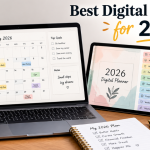
Planning has changed a lot in recent years. Instead of carrying a paper notebook everywhere, you can now manage your schedule, goals, notes, habits, finances, and creative ideas from one tablet. The best digital planners for 2026 combine the familiar feel of handwriting with useful digital features such as hyperlinks, templates, stickers, calendar shortcuts, and reusable pages.
The right planner depends on how you work. Students may need assignment and study pages, professionals may want schedules and project tracking, while creatives often prefer flexible layouts and visual tools. This guide looks at the features that matter most and explains why planners such as Cyberry 2026 are attracting attention.
What Is a Digital Planner?
A digital planner is an electronic planning system used on a tablet, computer, or compatible mobile device. Many are interactive PDF files designed for apps such as GoodNotes, Notability, Noteful, and Noteshelf.
With a stylus or Apple Pencil, you can write appointments, tasks, notes, goals, and ideas directly on the screen. Hyperlinked tabs can also let you jump from a yearly calendar to a month, week, or specific day.
Unlike a paper planner, a digital planner can often be customized with templates, stickers, colors, copied pages, and additional inserts. Some systems can also connect planning activities with reminders or calendars.
Why Digital Planners Are Becoming So Popular
Digital planners offer a useful combination of organization, convenience, and creativity. One tablet can replace several notebooks while keeping different areas of life connected.
The biggest benefits include:
- Easy navigation through hyperlinks
- Reusable digital stickers and templates
- Handwriting with a stylus
- Goal and habit tracking
- Calendar and reminder integration on supported planners
- Less physical clutter
- Easy customization
- Digital storage and backup options
Current 2026 roundups also show that planners range from simple schedules to feature-rich systems covering wellness, finances, productivity, and personal development.
What Makes the Best Digital Planners Different?
The best digital planners are not simply the ones with the most pages. A useful planner should make everyday planning easier rather than adding another complicated system.
Look for:
| Feature | Why It Matters |
| Hyperlinks | Help you move between dates and sections quickly |
| Daily and weekly views | Support both detailed and broad planning |
| Templates | Let you change layouts for different needs |
| Compatibility | Ensures the planner works with your preferred app |
| Customization | Makes the system fit your personal workflow |
| Goal tracking | Connects long-term goals with daily actions |
| Calendar tools | Can reduce duplicate scheduling |
| Notes and dividers | Keep projects and ideas organized |
Recent guides also emphasize checking hyperlink quality, layout, app compatibility, and whether the planner is dated or undated before buying.
Related Post: Pushwiki com Explained Simply: Full Guide, Safety & Truth Behind It
Cyberry 2026: A Highly Customizable All-in-One Planner
Cyberry 2026 is designed as a broad planning system rather than a basic calendar. Its listed features include yearly and quarterly calendars, monthly notes, goals, finances, wellness, reflections, daily pages, multiple weekly layouts, templates, dividers, stickers, and calendar integrations.
It is especially interesting for users who want one place for personal organization, productivity, creative planning, and lifestyle tracking. The planner also supports landscape use and is compatible with Goodnotes 6 across Apple, Android, Windows, and Web devices according to its Marketplace listing.
Advanced Calendar and Reminder Shortcuts
Cyberry 2026 includes shortcut-based options for creating reminders and calendar events. This can reduce the need to manually enter the same information into several places.
The important advantage is that handwritten planning can remain separate from actual calendar events while shortcuts help connect the two workflows.
Goal Setting and Quarterly Planning
Yearly goals can feel too broad to manage. Quarterly planning makes them easier to break into smaller priorities and action steps.
Cyberry includes yearly and quarterly planning areas that help connect long-term objectives with monthly, weekly, and daily planning.
Note Dividers Return
Note dividers make it easier to use a planner for more than appointments. You can separate project ideas, research, meeting notes, journaling, lists, or creative work.
Cyberry 2026 brings back integrated note dividers with indexing and navigation options, giving users more control over larger collections of notes.
Template Library Adds Flexibility
Different weeks often require different layouts. A student might need study space, while a business owner may need project planning.
Cyberry’s template library provides alternative daily and weekly designs, along with blank-style pages that can be adapted for custom planning needs.
Finance and Wellness Planning
Modern digital planners increasingly work as personal dashboards. Instead of limiting planning to appointments, they can include finance, wellness, habits, mood, sleep, activity, and routine tracking.
Cyberry 2026 includes finance pages for areas such as income, debts, savings, accounts, and balances. Its wellness section provides space for habits, mood, sleep, activity, and routines.
This can be particularly useful if you want your planning system to cover several areas of life without maintaining separate notebooks.
Daily and Weekly Planning
Daily and weekly pages remain the core of most planning systems.
A useful daily page should show priorities without becoming overwhelming. Helpful sections can include:
- Schedule or time blocks
- Main priorities
- To-do items
- Notes
- Reminders
- Quick navigation
Weekly pages provide the bigger picture. They help you see appointments, deadlines, tasks, and priorities together before breaking them into individual days.
Digital Stickers and Planner Customization
Digital stickers are not only decorative. Icons, labels, flags, and checklists can make information easier to recognize quickly.
Cyberry 2026 includes stickers, labels, flags, checklist elements, icons, covers, and color combinations.
Customization can also make a planner more enjoyable. If the layout matches your personality and workflow, you may be more likely to use it consistently.
GoodNotes and Other Digital Planning Apps
The app you use can be just as important as the planner file. GoodNotes is widely used for interactive PDF planners because it supports handwriting, annotations, stickers, and hyperlink navigation. Notability, Noteful, and Noteshelf are other options depending on compatibility.
Goodnotes’ own 2026 roundup shows how broad the market has become, with planners ranging from minimalist layouts to professional, wellness, self-care, and productivity systems.
Before buying, check the planner’s supported apps and whether features such as hyperlinks, stickers, templates, and navigation work as expected.
Best Digital Planners for Different Planning Styles
There is no single planner that works perfectly for everyone.
| Planning Style | Look For |
| Students | Study pages, assignment tracking, weekly planning |
| Professionals | Meetings, projects, deadlines, calendar tools |
| Creatives | Flexible layouts, stickers, notes, vision boards |
| Minimalists | Clean pages and limited decoration |
| Goal-focused users | Goal, habit, quarterly, and reflection pages |
| Wellness planners | Mood, fitness, sleep, and habit tracking |
| All-in-one users | Finance, notes, goals, wellness, and scheduling |
For example, Goodnotes’ 2026 marketplace roundup includes specialized options for professionals, self-care users, creatives, visual planners, and productivity-focused users.
Digital Planner vs. Traditional Paper Planner
Paper planners still have one major advantage: simplicity. You need only a notebook and a pen. There are no apps, files, charging requirements, or compatibility concerns.
Digital planners offer more flexibility. You can duplicate pages, reuse stickers, navigate through hyperlinks, store multiple years on one device, and customize layouts.
| Digital Planner | Paper Planner |
| Easy to customize | Simple to use |
| Hyperlinked navigation | No technology required |
| Reusable pages and stickers | Physical writing experience |
| Can store many sections | Fixed physical pages |
| Requires a compatible device | Works anywhere |
The better option depends on whether you value digital flexibility or the simplicity of physical planning.
What to Look for Before Buying a Digital Planner
Check these factors before purchasing:
- Compatibility: Make sure it works with your device and preferred app.
- Navigation: Look for functional hyperlinks and clear tabs.
- Layout: Choose daily, weekly, monthly, or flexible views based on your routine.
- Customization: Check whether templates, stickers, and covers can be changed.
- Features: Decide whether you actually need goals, finance, wellness, or calendar tools.
- Format: Determine whether you want a dated or undated planner.
A beautiful planner is not automatically a useful one. Functionality should come first.
Are Digital Planners Worth It?
Digital planners can be worth the investment if you already use a tablet for work, school, creativity, or personal organization.
Their biggest advantage is the balance between handwriting and technology. You can write naturally while using hyperlinks, reusable templates, digital stickers, and other tools.
However, more features do not always mean better planning. If you only need a basic calendar, a huge all-in-one planner may create unnecessary complexity.
How to Build a Better Digital Planning Routine
A planner works best when it becomes part of a consistent routine.
Start by recording major yearly goals and important dates. Then break those goals into quarterly priorities. Use monthly planning for deadlines and events, weekly planning for priorities, and daily planning for execution.
A simple routine can look like this:
- Review yearly goals.
- Set quarterly priorities.
- Plan the month.
- Choose weekly priorities.
- Create realistic daily tasks.
- Review your progress.
- Adjust the next plan based on what you learned.
This turns a planner into a feedback system instead of a place where you only record appointments.
The Future of Digital Planning
Digital planning is moving toward a middle ground between traditional stationery and productivity software. People still enjoy handwriting, decorating pages, and visually organizing their thoughts, but they also want technology to handle repetitive tasks.
Features such as calendar shortcuts, reminders, interactive navigation, reusable templates, and customization show how these two approaches can work together.
The future is likely to focus even more on personalization. Instead of forcing every user into one layout, digital planning systems can provide flexible environments that adapt to different routines.
Final Thoughts
The best digital planners for 2026 are not necessarily the ones with the largest number of pages or the longest feature lists. A good planner should make your schedule easier to understand, your goals easier to manage, and your everyday tasks easier to complete. The right choice depends on your planning style, preferred device, note-taking app, and the features you will actually use. Compatibility, navigation, layout flexibility, customization, and useful tracking tools should all be considered before buying.
Cyberry 2026 is a strong all-in-one option for users who want scheduling, goals, notes, templates, finance, wellness, stickers, and calendar shortcuts in one connected system. Other planners may be better for minimalists, students, professionals, creatives, or people who want a simpler setup. Ultimately, the most effective planner is the one you will keep using. Choose a system that fits your real routine rather than one that simply looks impressive.